Everything from the website, made for your phone: the full catalog, the promoted deals, your orders, your one-time downloads and the built-in chat with sellers and our Support team.
Direct link: https:///digiz3d.apk — the same APK file, always the latest version.
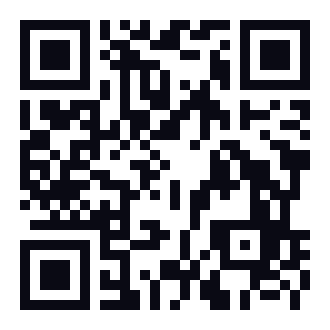
Point your phone camera at the QR code — it opens https:///digiz3d.apk directly. No account needed to browse; create one to buy and chat.
Press Download APK above on your phone. Android may say “this file might be harmful” — that is the normal warning for any app installed outside the Play Store. Press Download anyway.
Open the downloaded file. If asked, allow “Install unknown apps” for your browser (Settings → Apps → your browser → Install unknown apps → Allow). One time only.
Tap Install, open Digiz 3D and you are inside the marketplace. Your website account works in the app exactly the same.
Every product, every promoted deal and the complete search — the app always shows the live store, so nothing is ever out of date.
Message sellers about products and reach the official Support team with one tap. Replies arrive in the app and on the website.
Your one-time download links work inside the app — files are saved straight to your phone with the system download manager.
The app is also being prepared for Google Play. When it is live, you will find it by searching “Digiz 3D” — the direct APK above always stays available too, so users who sideload can always get the latest version first.
Tip for the store owner: the complete Android Studio project used to build this app ships with the website package (folder android-app/) together with a step-by-step Google Play publishing guide (android-app/README-GOOGLE-PLAY.md).